AI video tagging software

Tagged for creative strategy.
Automatically.

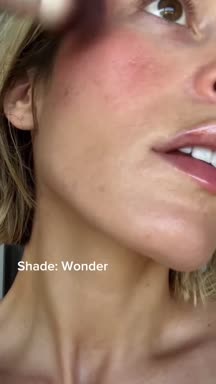
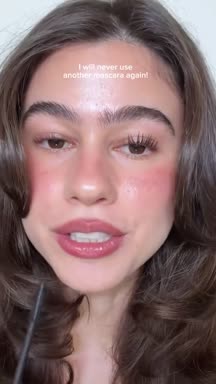
Recharm watches your footage and discovers the personas, angles, problems and emotions in it, so your tags fit your brand instead of a generic list. Every clip is tagged as it’s uploaded; stack filters to get from hundreds of clips to the handful you need.

All clips701
Clip tagged Emotion: Confidence0:11
Clip tagged Emotion: Confidence0:06
Clip tagged Emotion: Confidence0:05
Clip tagged Emotion: Confidence0:10
Clip tagged Emotion: Confidence0:09
Clip tagged Emotion: Confidence0:30
Clip tagged Emotion: Confidence0:04

Real filters on our demo library of 701 beauty creator clips.

7019clips, three filters laterOur demo library
5 hrsa week saved per editorPurdy & Figg
3×more ad editsHexClad
Creative strategy tags

Discovered from your own footage.

Persona, angle, problem and emotion aren’t picked from a fixed list. Recharm finds them in your videos, so a beauty brand gets “Skincare-First” and “Lip Dryness” while a cookware or supplement brand gets tags of its own. These are the top tags discovered in one beauty brand’s library, with real clip counts.

Scene

  • Product Benefit112
  • Hook81
  • Testimonial79
  • CTA59
  • Makeup Application56

PersonaDiscovered

  • Beauty Enthusiast137
  • Skincare-First117
  • Clean Beauty Advocate59
  • Everyday User58
  • Natural Makeup Lover57

EmotionDiscovered

  • Confidence124
  • Excitement77
  • Satisfaction65
  • Trust16
  • Curiosity15

AngleDiscovered

  • Natural Finish59
  • Skin-First Benefits52
  • Glow Radiance28
  • Hydrating Comfort27
  • Shade Matching17

ProblemDiscovered

  • Lip Dryness26
  • Texture19
  • Pores18
  • Uneven Tone15
  • Shade Matching13

Age

  • Young Adult (21–44)576
  • Middle Age (45–64)24

Gender

  • Female443
Tagged clip of a woman applying lip liner0:15
  • Uploaded asqC1LKi96LIx7K927Bj48x.mp4
  • SceneMakeup Application
  • CreatorPositive-Wolf
  • PersonaSkincare-First
  • EmotionConfidence
  • Tagged byRecharm AI, on upload
Automatic organization

The file name says nothing. The tags say everything.

Raw footage arrives with names like qC1LKi96LIx7K927Bj48x.mp4. Recharm cuts it into clips and tags each one as soon as it’s uploaded, so it’s findable before anyone has opened it.

  • Tags are applied per clip, so one recording can carry many different tags.
  • Personas, angles, problems and emotions come from your own footage, so they speak your brand’s language.
  • Add your own tags when you need categories beyond what Recharm discovers.
  • On the Managed plan, human reviewers add product tags and custom categories.
Smart filtering

Cast a concept from footage you own.

Need creators over 45 for a mature-skin ad? The Age tag finds them in one click: 24 clips in our demo library, without anyone labeling a single file.

Age: Middle Age (45-64)24 clips
Clip of a creator aged 45 to 640:04
Clip of a creator aged 45 to 640:10
Clip of a creator aged 45 to 640:05
Clip of a creator aged 45 to 640:04
Clip of a creator aged 45 to 640:07
Clip of a creator aged 45 to 640:10
Compare

Recharm vs. Google Drive

Drive knows file names. Recharm knows who a clip is for and how it feels.

RecharmGoogle Drive
Tags discovered from your own footage
AI auto-tagging on upload
Filter by persona
Filter by emotion
Filter by angle and problem
Filter by age and gender
Stack multiple filters
Custom tags
Who it’s for

For the people who make the ads.

Creative strategists

2× faster creative planning

  • Validate concepts instantlyCheck whether the right personas, emotions or product shots exist before planning a shoot.
  • Write sharper briefsAttach exact clips as references instead of describing them.
  • Scale winning anglesFind more footage with the same persona, emotion or angle as your best ad.
Video editors

3× faster editing workflow

  • Find the right shotsFilter by angle, persona or emotion instead of scrubbing.
  • Skip the organizingStart from a labeled library instead of tagging files yourself.
  • Focus on the storySpend the time crafting the edit, not managing footage.
Performance marketers

Partner with the creative team

  • Ask for specific footageRequest “more Confidence hooks for the Skincare-First persona” and get them.
  • See what works by tagSpot which personas and angles show up in your winners.
  • Fight ad fatigueFind fresh footage that matches a proven angle.
HexClad produces 3× more ad edits with Recharm
“If you want us to keep the same level of quality and speed, you can’t get rid of Recharm. Without it, our whole team slows down, and that would affect revenue.”
Alyssa MetzgerPaid Creative Strategy Manager, HexClad

Frequently asked questions

What is AI video tagging?

Software that labels video content automatically. Recharm’s version is built for creative strategy: it discovers the personas, angles, problems and emotions in your footage and tags every clip with them, along with scene, age and gender, so the whole library can be filtered without anyone labeling files.

What are creative strategy tags?

Labels that describe what matters when building ads: who the clip speaks to (persona), how it feels (emotion), what it argues (angle), what pain it addresses (problem) and who is on screen (age and gender).

Are the tags the same for every brand?

No. Persona, angle, problem and emotion tags are discovered from each brand’s own videos. A beauty brand’s library surfaces personas like “Skincare-First” and problems like “Lip Dryness”; a cookware or supplement brand gets tags that fit its own products and customers.

How are tags different from scenes?

Scenes describe what kind of moment a clip is, like a hook, testimonial or call to action. Tags describe attributes inside the clip, like the persona or emotion. Scenes structure the library; tags let you narrow it down.

Can I combine filters?

Yes. Filters stack. In our demo library, Confidence narrows 701 clips to 124, adding the Skincare-First persona narrows it to 38, and adding the Makeup Application scene leaves 9.

Can I add my own tags?

Yes. Teams can add custom tags to match their own workflow or creative strategy.

Is product tagging included?

Product tagging is part of the Managed plan, where human reviewers tag products precisely. That matters most for brands with many similar product variations.

What is the difference between AI tagging and managed tagging?

On the AI plan, tags are generated automatically. On the Managed plan, human reviewers add more detailed tags and custom categories that need human judgment.

Does tagging work on long videos?

Yes. Long videos are cut into clips first, and each clip is tagged on its own, so a single recording can carry many different tags.

Stop tagging by hand. Start filtering.

Start 14-day free trial